




What A Year!

2016 is drawing to a close, and for many of us, this year has been a whirlwind. What all happened at Subsplash this year? Well, a lot! Here are just a few of our favorite things that went down over these last 12 months:

  • We added 25 amazing new people to our team! Working at Subsplash is pretty awesome, and for two great reasons: we get to help churches and ministries share the good news of Jesus, and we get to do that alongside some of the coolest people in Seattle. We are so excited about the awesome people who joined our team this year!
  • We added over 75 new features to the Subsplash Platform. 2016 saw some unprecedented improvements such as digital bulletins, upgrades to analytics and branding, new media uploading experience, web embeds, upgraded hosting on Subsplash Cloud, ChMS integrations with CCB and Fellowship One, a brand new Knowledge Center, Google Cast for iOS, and of course, Subsplash Giving!

  • Speaking of giving, a huge number of churches started using Subsplash Giving in 2016! When we launched Subsplash Giving in the Spring, the goal was simple: help churches steward their resources well and help make generosity easier for the congregation. We love hearing stories of churches increasing their giving and saving money with GrowCurve.

  • Over 4,000 churches and ministries are now using the Subsplash app platform. From day one, our desire has been to serve the church. We are so excited to now have over 4,000 amazing churches and ministries to partner with!

  • Churches used the Subsplash Platform to reach more people than ever before with the good news of Jesus. This year, we saw over 6 million app downloads, over 77 million sermon plays, over 156 million app launches, and over 556 million app impressions on the Subsplash Platform. Amazing!

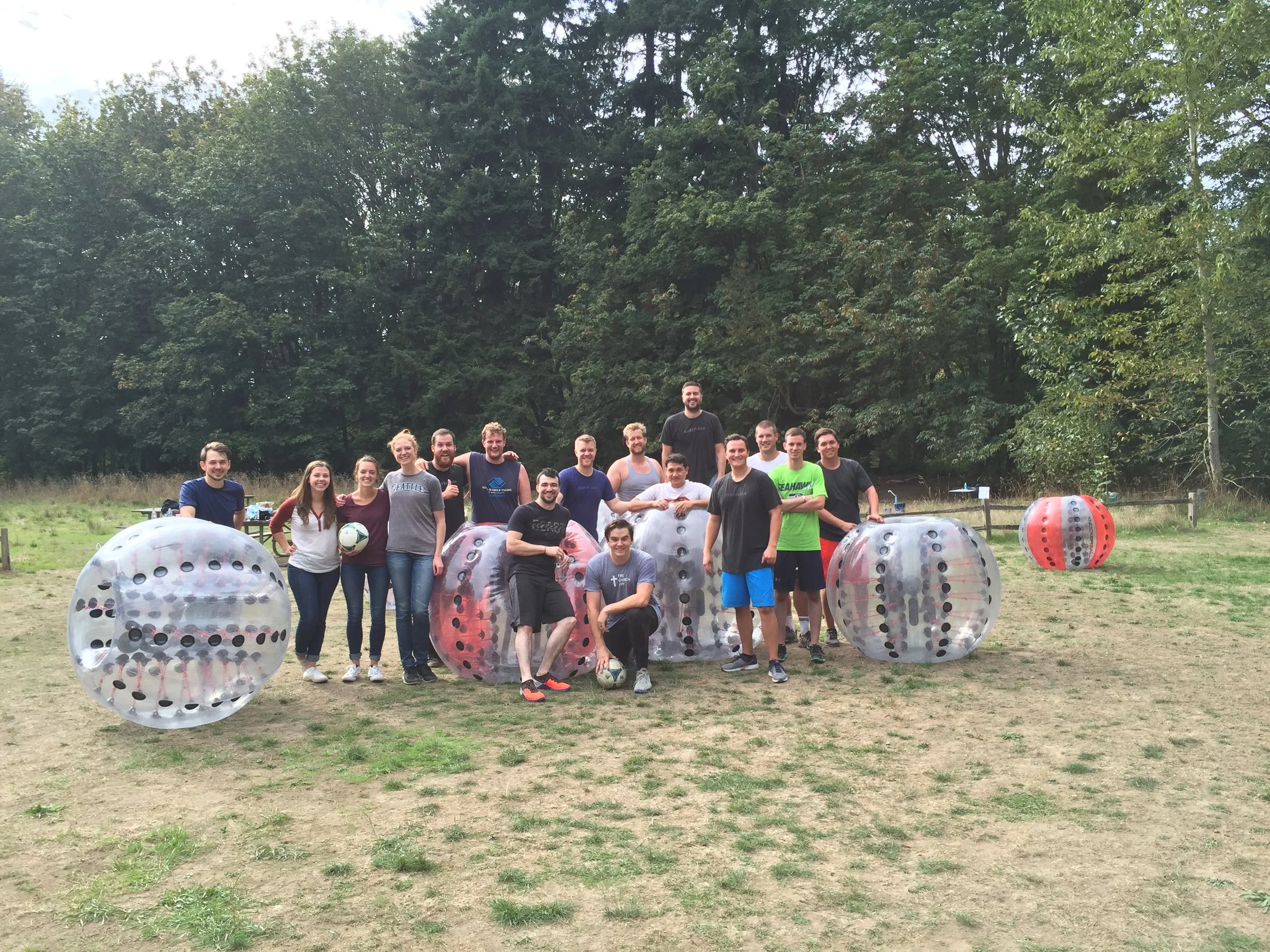
  • Oh, and we had a TON OF FUN!

While 2016 was a big year for us, we have our sights set on making 2017 even BIGGER. There is much to be excited about, but no matter how many amazing new people join our team, no matter how many new features get added to the platform, and no matter how much more fun we have, one thing will always remain the same: the heart behind everything we do. Our top priority as a company is not to make lots of money or build some crazy tech empire. Our heart is to equip the church with the best communication tools so that more people can hear the good news of Jesus and become better disciples. That’s what matters most, that’s what we are fully committed to, and that’s what we are most excited about as we move into 2017. Cheers to the new year!
5 Ways to Promote Your Church's Christmas Services

Can you believe that Christmas is only 10 days away?! Or maybe even closer if you’re reading this in the future. With one of the craziest weekends for churches quickly approaching, we wanted to create a list of five (free!) ways you can promote your church’s Christmas services so that more people can hear the good news of Jesus this holiday season.


Talk About It!

This might seem like an obvious one, but it’s the most important. Your team needs to be talking about your Christmas services from the stage on a regular basis. Simply put, if your pastor and staff is not excited about something, then chances are your congregation isn’t excited about it either. Having your pastor show visual excitement and build hype around an event (i.e. your Christmas services) will go a long way in getting your congregation to buy in.


Social Media

Whether you like it or not, social media is one of the most effective ways to share information. With one click, you can reach thousands of people with your message. Make sure you are promoting your Christmas services on Facebook, Instagram, and Twitter. You can even get creative and come up with a fun “campaign” of regular posts that are both humorous and informative. Maybe that looks like a funny photo of your team rocking their best “we are so hyped on life right now!” face and a caption that says “These guys are excited for [your church’s] Christmas services….are you?” People love a little humor, and a little humor combined with important information will definitely be helpful to your audience. Additionally, you can ask members of your congregation to share information about your Christmas services on their personal social media pages. If just 20 people with 500 friends each share about your services on Facebook, that’s up to an additional 10,000 people who can learn about your church.


Tell a story

Is there someone in your church who was deeply impacted by a past Christmas service? Tell their story! This could be a blog post, an interview on Sunday morning, or a video that you share on your app, website, and social media pages. Ask them questions like, “What was going on in your life before coming to church?”, “How did God speak to you during the service?”, and “How has God used this community to draw you closer to him?”. Being transformed by the love of Jesus is truly the best thing that could happen to someone this season (that’s why we want people to come to church, right?), and sharing tangible stories about that transformation is a great way to connect with people on a personal level.


Push Notifications

Like we mentioned above, you need to be building some hype around your Christmas services from the stage, but unfortunately some (or let’s be real….many) people will go home from church, become busy with their daily tasks, and forget that important call you made to share your Christmas service info with their friends. Push notifications are a great way to follow up announcements made from the stage. If you have a Subsplash app, you can easily schedule out a few friendly reminders for people to invite their friends, and share the event on social media. If there is an action item someone could do from their phone, make sure to include that in the notification as well. Push notifications have a much higher visibility rate than emails, and your congregation will be able to respond immediately. 


Make it easy to get connected

So Christmas comes and you have a great service. Lots of people show up, hear the gospel, and want to get more involved in your church. What’s next? Following up with clear communication. This may seem like another obvious one, but it will be the difference between those new people getting connected to your church or never coming back. Make sure that any resources about becoming a part of your church are easy to find an readily available. If you have a connect card, make sure to have it available both during your service and in your app so people can fill it out at any time. If your church has small groups or service teams, make sure that information is easy to find in your building, on your website, and in your app. Any next steps for newcomers should be clearly communicated and readily available.


As Christmas quickly approaches, our team here at Subsplash is praying that this season would be fruitful and that God will use each of your churches to forward the gospel. We love serving you and can’t wait to hear your amazing stories of God’s grace over the next few weeks!


How to Create Great Sermon Artwork

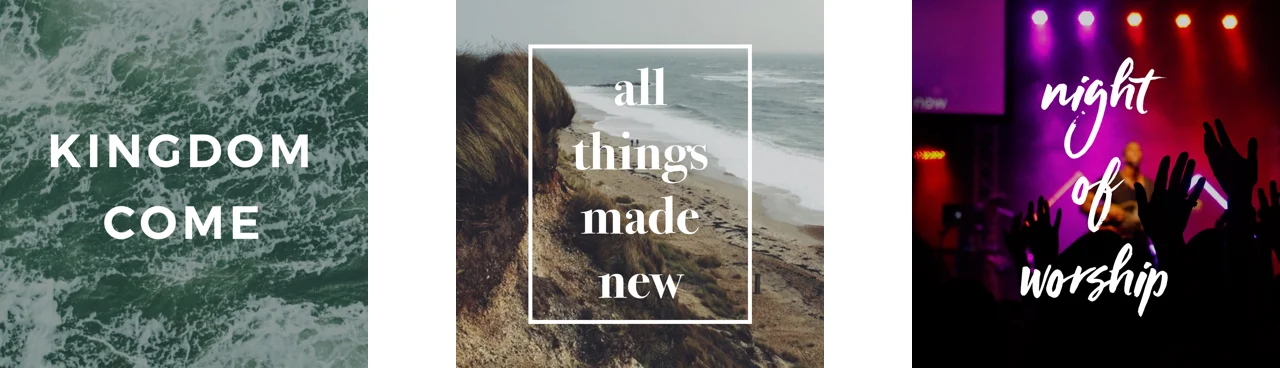
We live in a visual culture. Some of the most successful social media platforms (ahem, Instagram) are built upon visuals alone, and studies have shown that content with visuals gets almost 2x as many views as content without. Visuals are clearly correlated with engagement, but it can be challenging to constantly produce new and interesting artwork. It takes time, resources, and planning — and, ideally, it would reflect your church's unique personality. 

Luckily for you, we've created a step-by-step guide to help you create great artwork using free online tools. Sound good? Let's get started!


Overview

The image formula is as follows:

Background + Tint + Text = A Great Image

You may be wondering how to combine these elements, or how to create a tint. Don't worry — we will walk you through the whole process step-by-step below.


Step 1: Select a Background

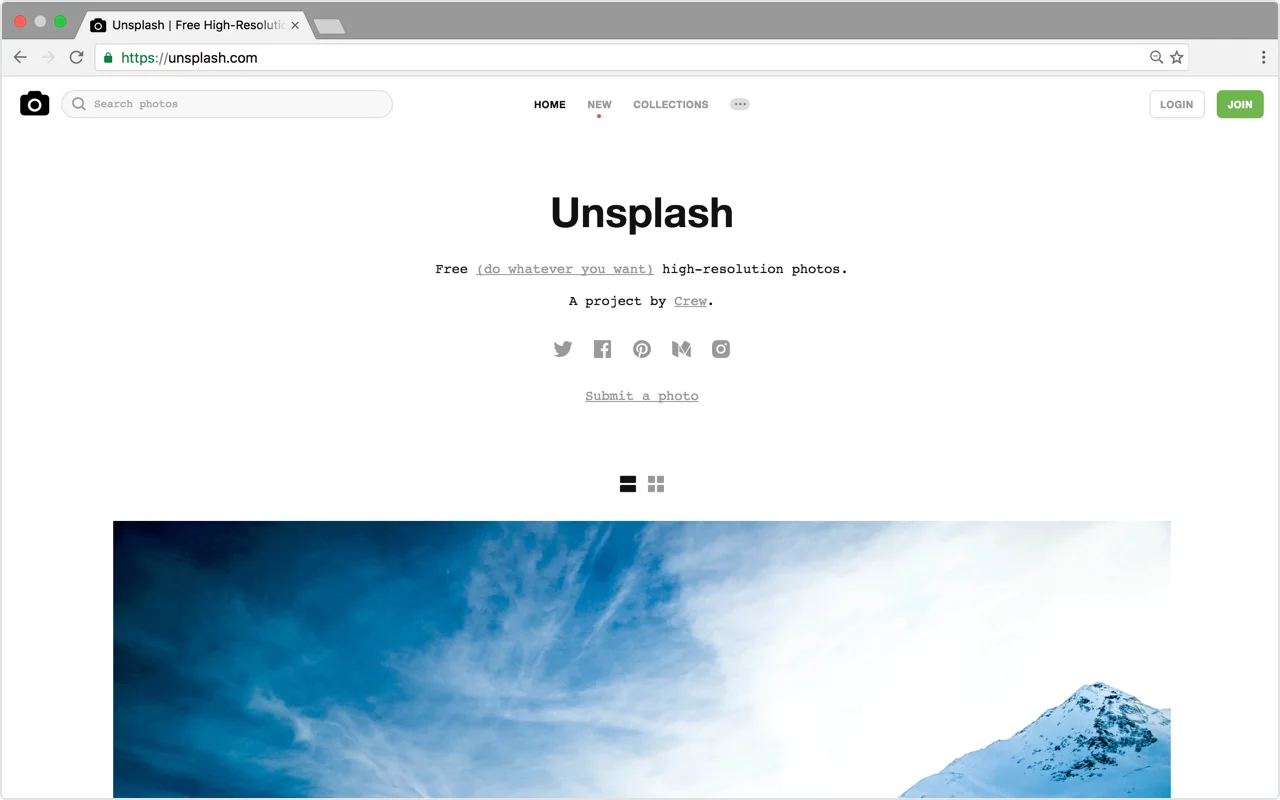
First, you’ll need a background. This can be a photo, a pattern, or a solid color. UnsplashPixabay, and Pexels are all great resources for free, high-quality images (although keep in mind that The Church App is in no way affiliated with these sites, and as such we have no control over the content contained in them). Not only that, but all of the images on these sites are 100% commercial-use friendly, meaning that you can modify and distribute them in any way you choose without worrying about infringing on a copyright license.


Step 2: Add a Tint

Once you’ve found a background that you like, the next step is to add a tint. Adding a tint is optional, but the benefit of a tint is that it will help any text placed on top of your background to be readable. For the following steps, we are going to use Canva.com, a free online tool that will allow you to add elements like tints and text to your background image.

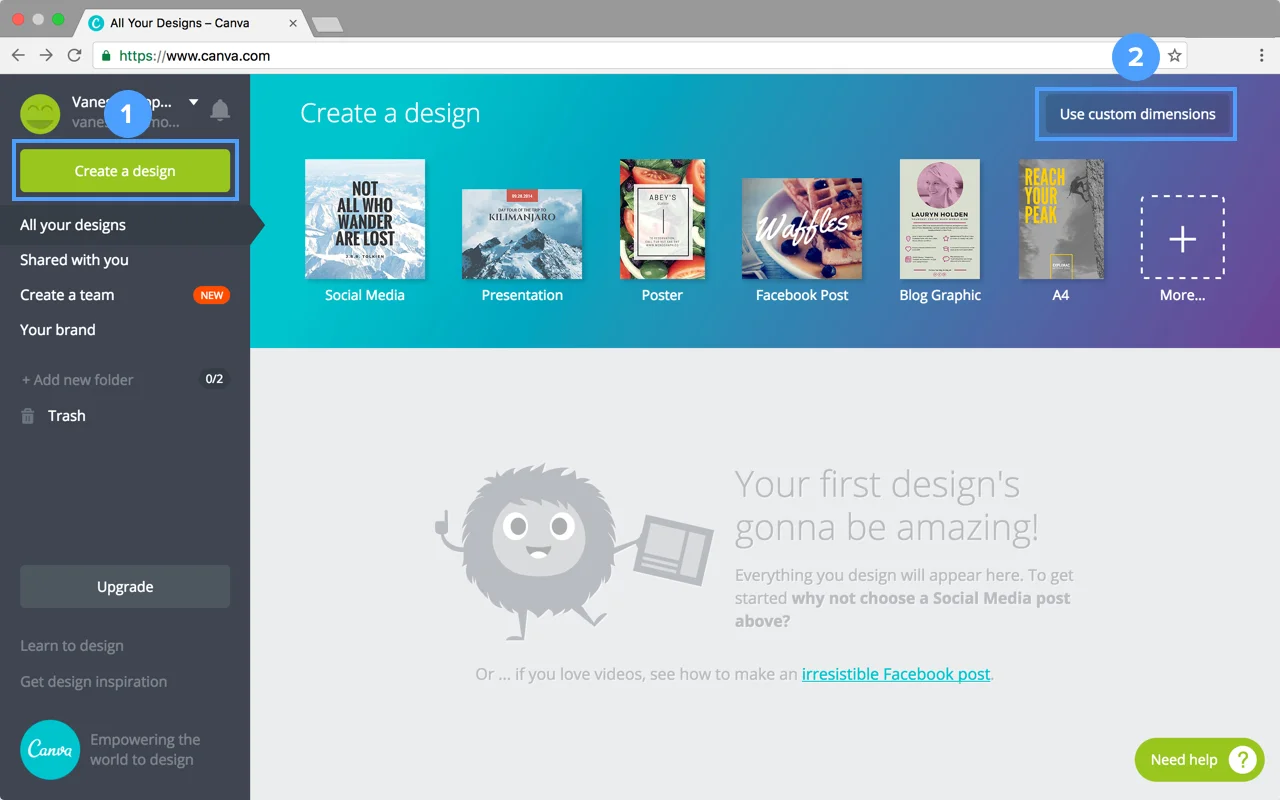
Once you create an account on Canva, click the Canva logo in the top left corner of your screen to start a new project. Then click “Create a Design” and “Use Custom Dimensions”.

Where your graphic will appear will determine the size you enter. 1920 x 1080 is the standard size for presentations and large displays, such as TV screens. If you'd like to promote your sermon on social media, check out this handy guide with all the sizes you'll need for every platform.

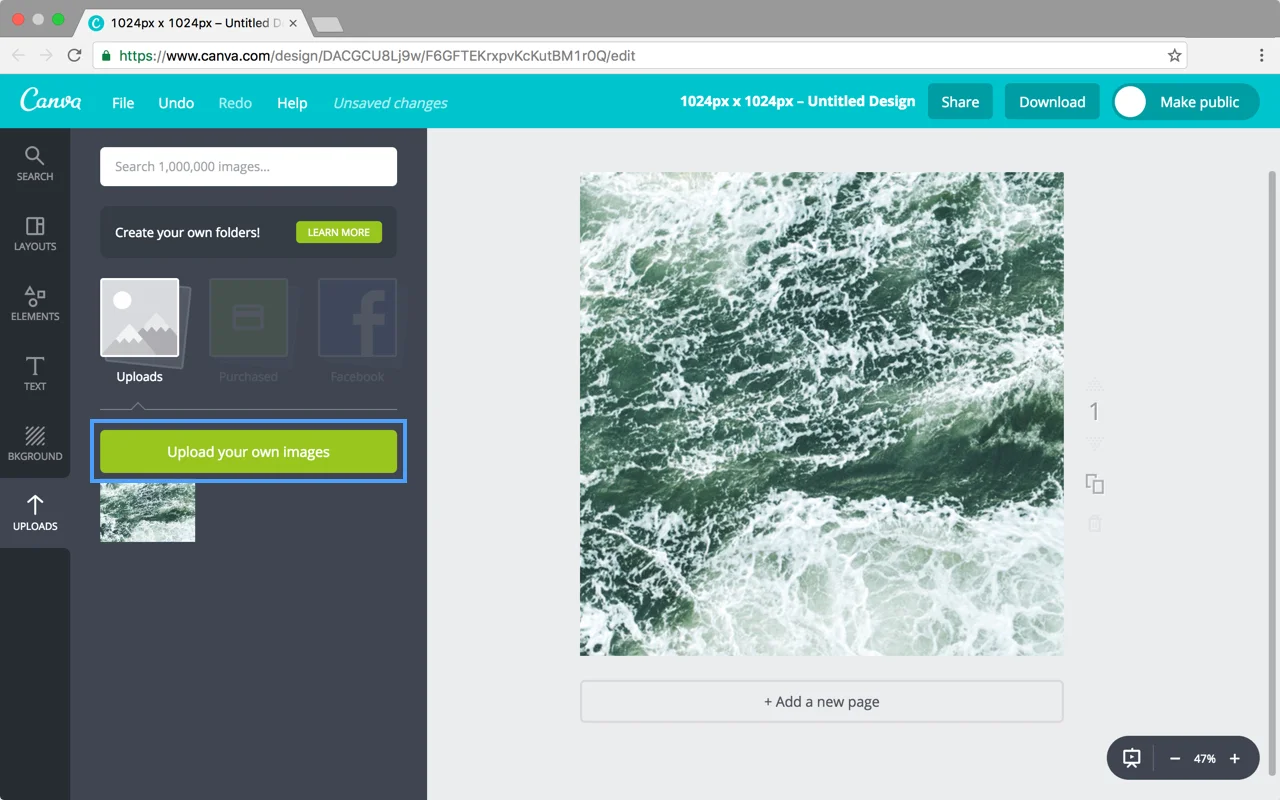
Drag your background image into Canva. Once it is uploaded, scale it to fill the whole background of your canvas.

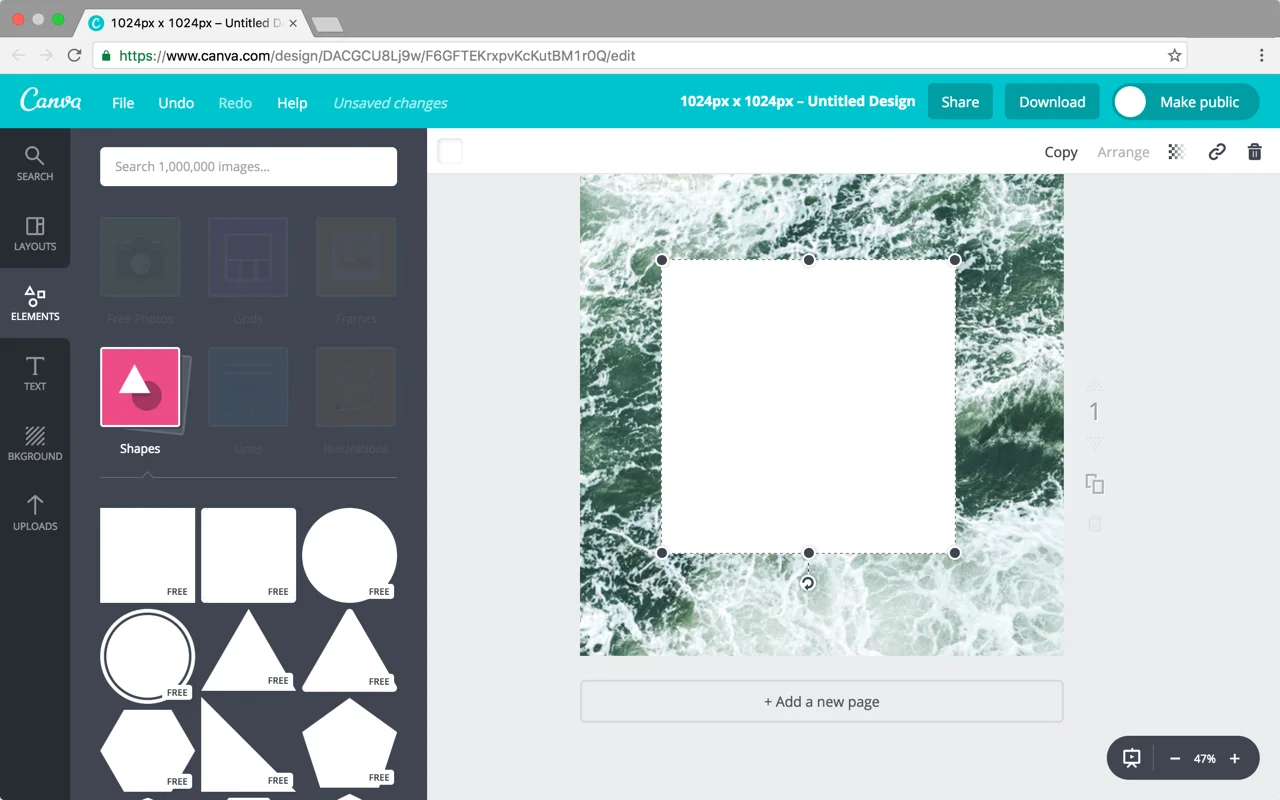
Next, add a tint on top of your background by selecting the “Elements” tab then “Shapes”. Drag the square shape on top of your background and scale it to fill the canvas.

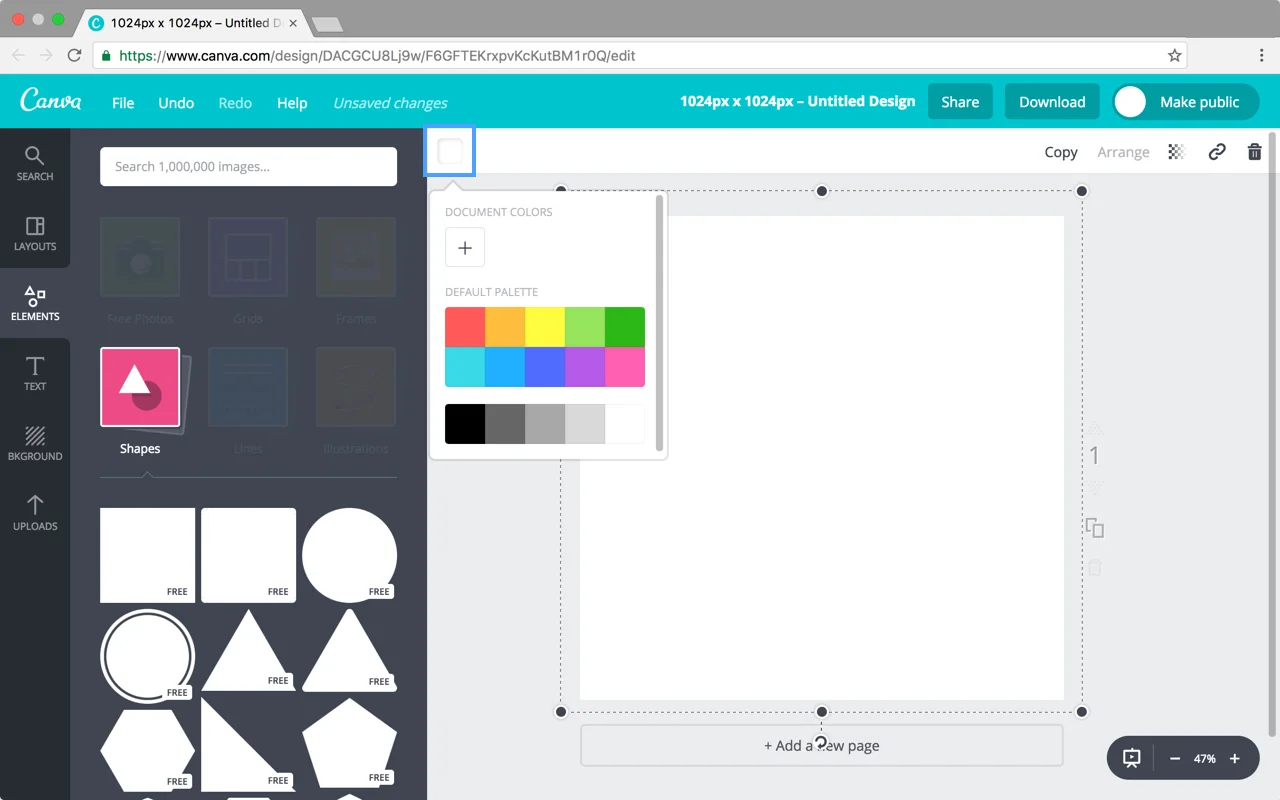
Click the white square in the upper left corner of your work area to change the color to black.

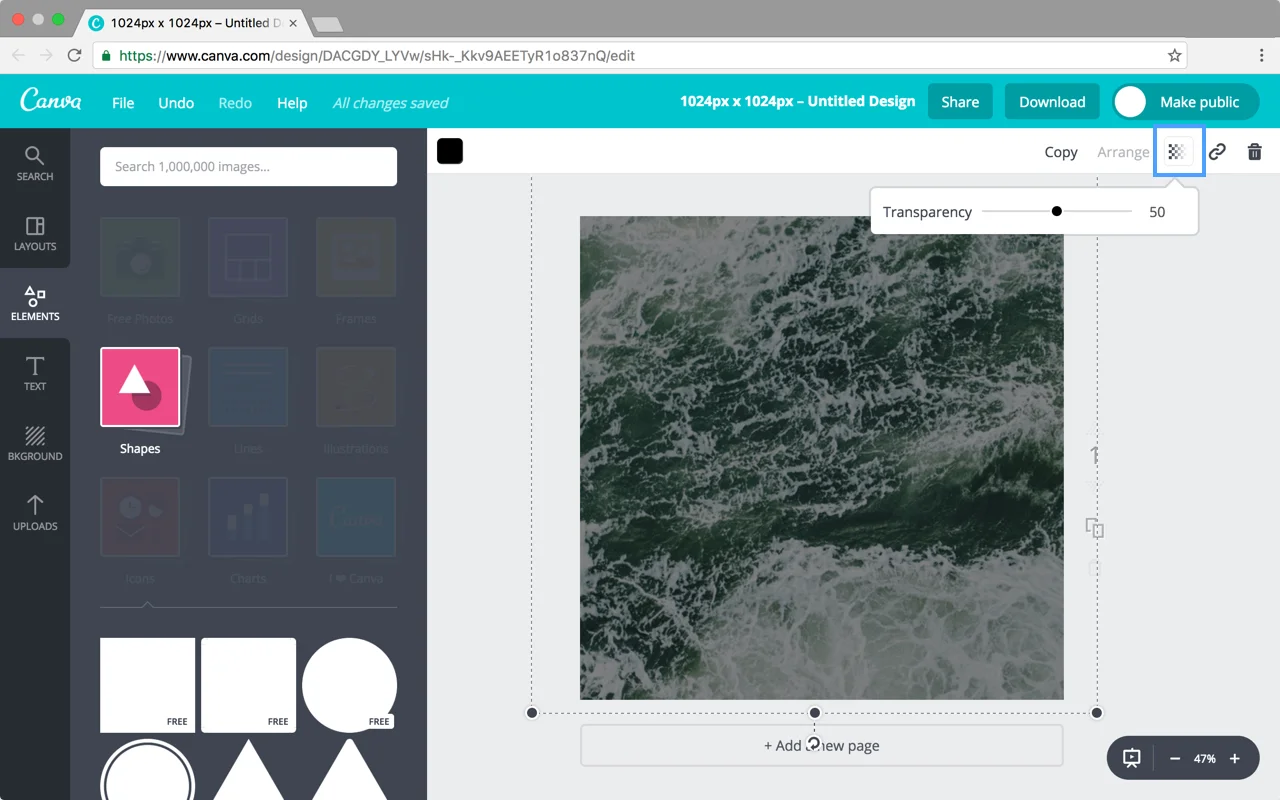
Next, adjust the transparency of that shape to create a tint. Click the checkered icon in the upper right corner of your work area and set the transparency to 50.

Voilà! Now we have a tint.


Step 3: Add Text

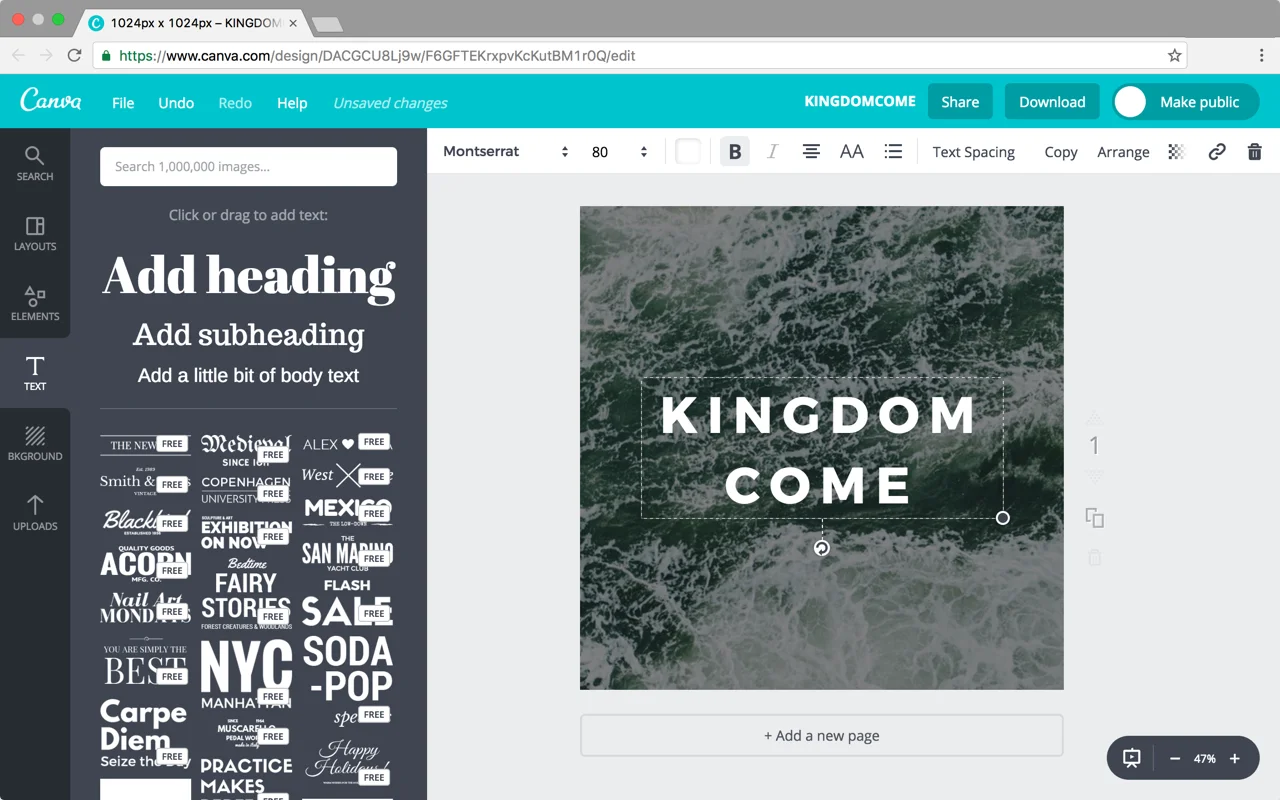
Lastly, add your text by selecting the “Text” tab and then dragging “Add Heading” onto your canvas. Feel free to adjust the size, color, and font of your text. White is always a good choice for a black tint, as it will stand out from the background.

If you’re not sure what font to pick, try using a simple font as they are timeless and easy to read. Here are some fonts we recommend that are available on Canva.com:

Aleo

Bodoni

Exo

Josefin Slab

Kollektif

Montserrat

Nixie One

Quattrocento

Source Serif Pro

Vollkorn

Feel free to experiment with using all uppercase letters or adjusting the letter spacing of your text. These small details can really make your image look polished.

Canva also provides templates that combine different text styles for you – try out your headline in a template and see how it looks!


Conclusion

That’s it! You’re well on your way to creating beautiful sermon artwork. If you found this tutorial helpful, please let us know by tweeting us some of your artwork @subsplash of using the hashtag #subsplashhints. We'd love to hear from you and see what you create!

Encourage Generosity This Advent Season

Are you stoked for Advent? We are! And we wanted to provide you with some creative ways to encourage generosity over these next few weeks. Check out Carolyn's tips in the video above and let us know what you come up with!

The Christmas Sale is Here!

'Tis the season for ugly Christmas sweaters, eggnog, celebrating the birth of Jesus, and....SAVINGS!

The Subsplash Platform is the complete solution to help you engage with your congregation and local community, providing your church with the premier custom app platform, online giving with GrowCurve, online sermon delivery, cloud hosting, and digital bulletins. And for a limited time, you can save 20% when you sign up for any of our packages! Click here to learn more.

Cookie Preferences