



11 Ways to Serve Your Community This Sunday - Part I

Apps have become the primary digital tool for daily interaction with your community. Since your app will be used more than your website, think mobile first! There are so many great features to include in your app that encourage your community to interact with your app on the daily, but beyond engaging your community during the week, we’ve designed some great tools to enhance your congregation’s worship gathering on the weekends. 

Here are a few examples of ways people can use your app starting with helping people get to your church all the way through getting people connected to a group.

Here are the features we are going to explore in this series:

  • Maps
  • Push Notifications
  • Digital Bulletins
  • Visitor Cards
  • Fill In Notes
  • Giving
  • Live Interaction
  • Bible
  • Events
  • Sign Up Forms
  • Group Connect

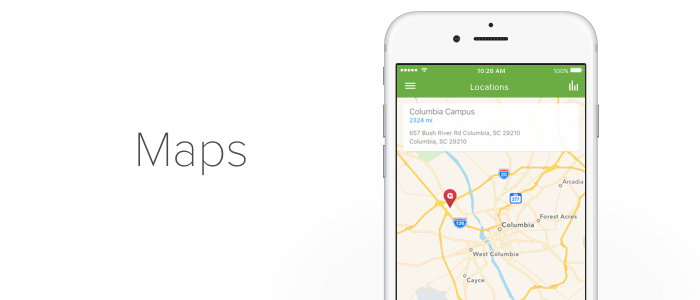
Easily integrate maps into your app so that when your community members open your app first thing on their way to your church, they have all the info they need. This feature is perfect for first time visitors!
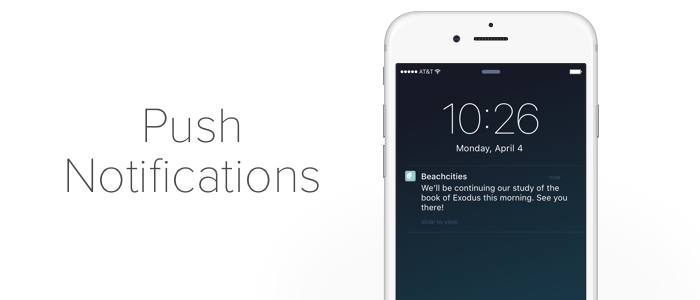
Before your community even walks through your church doors, sending a push notification with a short teaser about what to expect that day is one small gesture to help your community feel excited about the weekend service. 

If you need to share some announcements or an order of service, digital bulletins are the perfect feature to give your congregation a glimpse of what to expect that weekend.
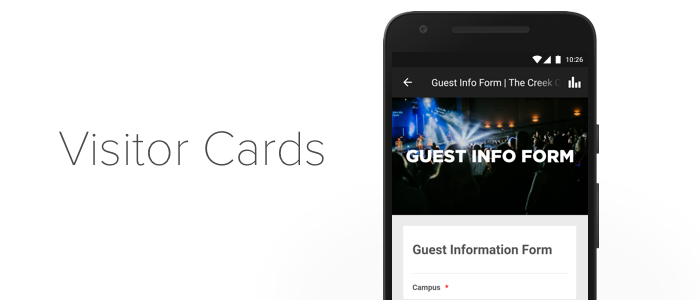
Help first time guests feel welcome by adding a vistor card to your app. Remove any barriers to people getting connected and make newcomers feel even more at home at your church!
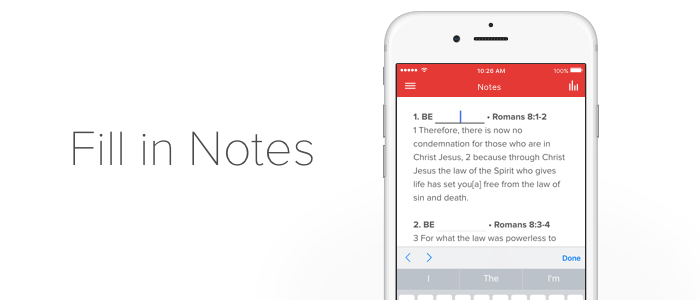
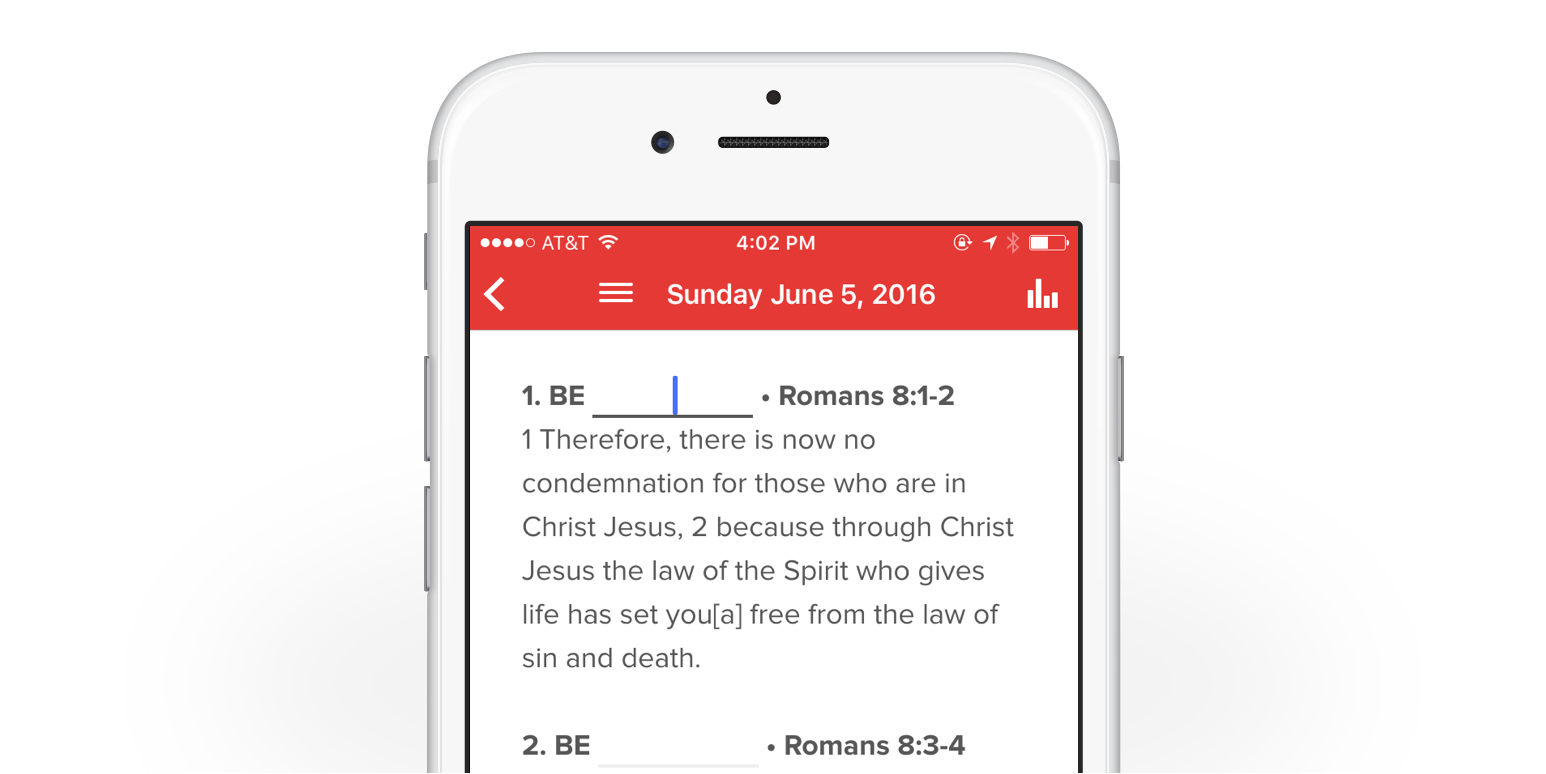
This brand new tool promotes deeper engagement in your app by letting your community follow along with your message. Not only can you create custom fill in the blank notes for each sermon, you can provide a space for free-form journaling, or simple outlines.

Check out 6 more features for your Sunday morning service and get in touch with us about creating your app!

5 Ways Technology Helps the Church

Our passion is to help churches and ministries leverage technology to help more people hear the Gospel message. Here are a few ways we think technology benefits the church...

1. Wider Reach

In a day when communication travels faster than ever and is immediately available, we have an opportunity as followers of Christ to take advantage of new tools for sharing the Gospel. 

Whether you are creating an app, starting a podcast, or leveraging another communication tool powered by modern technology, you can reach more people with Gospel content than any other time in history. 

2. Cultural Relevance

Our reception or rejection of technology sends a strong message to the culture around us. The best way to reach people with the good news of Jesus is to meet them where they are at in a way that's convenient to them.

Reaching people through technology, specifically mobile technology, is one of the most effective ways to help people see how much you care to see them engage with life changing content.

3. Increased Productivity

Streamlined processes and efficiency are much more common place with smartphones that act as a calendars, phone books, and communication tools all in one. Leveraging mobile technology to get more done in less time can help church staff focus on more initiatives and love more people.

4. Better Stewardship

The costs associated with older ways of doing things can be a major budget drain for many churches and ministries. For example, by making certain resources digital, churches can avoid costs associated with printing out bulletins, song lyrics, or event flyers, providing an opportunity for better stewardship. 

5. Greater Engagement

Nothing can replace the value in face-to-face interactions with real people, but the truth is we live in a mobile world, and being more technologically savvy helps organizations stay more connected and more engaged with their people. 

We want to help you see some of these benefits play out in your church with a customized mobile app. Let's chat!

Tips for an Effective Content Strategy (Part 2)

In Part 1 of this series we looked at how important content and consistency are in capturing your audience within your app. After you start getting great content in your app, there are some other important considerations to keep your audience engaged.

Here are a few:

4. Always Test

The hardest part about creating a content strategy that works for your community is the fact that there is no perfect model or template that works seamlessly across all organizations and audiences. Each church and ministry is unique in terms of what their needs are and what their community will respond favorably to. That's why it's important to track the responsiveness of your audience to your content. 

If one piece of content doesn't receive much engagement, maybe it's time to try something different! Testing different things in your app is the best way to determine what your community wants to see. If you've tried writing blog posts about a particular topic and don't see much traction, maybe it's time to write about something different, or try your hand at a video or a podcast.

It's also possible that you aren't posting your content at the right moment when your audience is most likely to see it. Testing the receptiveness of your content might look like posting at a certain day and time every week for a month and then switching it up if you don't get much feedback.

5. Always Refine

It's best to see your app as an ever-evolving project. Continually refining the visuals, content, and features offered is a good way to keep your community hooked. The more you create, test, and refine the content in your app, the better you will become at providing great resources for your community.

For more great tips about creating and maintaining a high quality app, check out our Church App Essentials series!

Let's chat about developing a content strategy for your organization's app! 

Announcing: Fill in Notes!

Do you print off bulletins and/or sermon notes only to find more paper left behind than you'd like? Well, we've got some good news. The interactive tool to build fill in the blank notes is here! Now you can save on printing costs and give your community another opportunity to engage with your app.

With Fill in Notes, your audience has the ability to customize and save their own notes, making it incredibly easy to follow along with your content and save it for later! Features include:

  • Easy-to-add titles, references, links, and expanded descriptions or text
  • Ability to archive and reference at a later date
  • Ability to send notes via email

A few ideas to get you started...

Fill in Notes

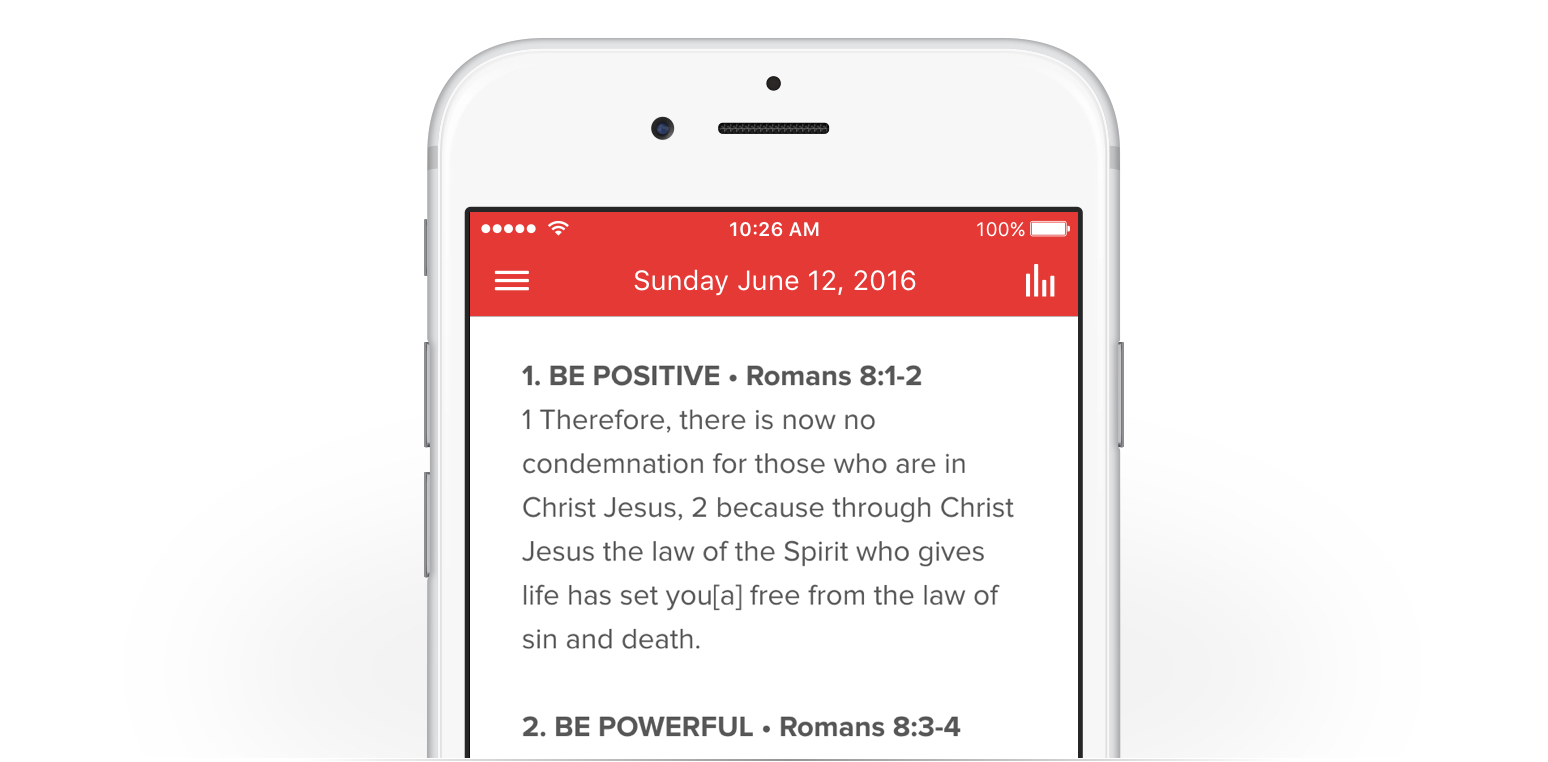
Prepare Fill In Notes ahead of time for your community so that they can follow along during the weekend message. Your congregation can easily access these notes in your app.


FREE FORM NOTES

If your users want to reflect on the content in your app, provide free form notes so that they can have access to journaling and easy formatting for their own personal notes.

SERMON OUTLINE BUILDER

To get your users started, create a simple outline template and put it in your app so that your community can easily access it on Sunday mornings. This format gives your congregation the flexibility to create their own notes while still having an outline to guide them.


Get in touch with us if you have any questions about how to use this great new tool! 

Tips for an Effective Content Strategy

Once you get your mobile app up and running, it might be tempting to move on to the next big initiative for your organization, but we'd say, "hold on a minute...what's your strategy for keeping your audience engaged in your app?" The app creation and promotion stage is largely completed, now it's time to develop your content strategy.

Engaging content is going to make up a large part of your strategy for maximum engagement with your audience, here are a few tips for getting started:

1. Know (or come to know) your Audience

You might think this one is a given, but have you really considered what your community's mobile habits are? What about identifying common pain points that you might be able to address with helpful content? 

Going through a few exercises can you help you both nail down your audience's mobile habits, and find out what kind of content would be most relevant to them. Using your existing tools, like website analytics can help you answer some of these questions. Also, once you start to see some initial engagement in your app, our new and improved analytics in the Subsplash Dashboard will give you great visibility into your community's behaviors in your app!

2. Be Consistent

It can take some time to ramp up interest and adoption for your app. If you want to see continued growth for downloads and impressions it's important to remain consistent with the content you share. One helpful way to keep track of this is in a content calendar. There's plenty of free templates out there to get you started. You might want to start small with one blog post per month, and then scale it to three or four over time. But consistency is key. Publishing something on the same day of the week gives your community something to count on and look forward to. 

Once you start to learn what kind of content resonates best with your audience, you can start creating and sharing helpful blog posts, podcast episodes, and other great resources, and use your app to put them at your community's fingertips. And don't forget to leverage push notifications to let your community know when something new is live in the app!

3. Choose Quality over Quantity

Sometimes consistency can come at the expense of quality, but your audience has so much content at their disposal, and limited time. To help your community gravitate towards your content, you have to earn their trust by providing high-quality resources and on-brand messaging every time.

We'd love to help you get your mobile strategy off the ground. Get in touch with us about creating an app for your organization! And stay tuned for part 2 of this series!

Cookie Preferences